Pop-ups. You know the drill. You are scrolling through the web when suddenly a window screams that your computer is about to explode or that World War III is imminent unless you download a specific tool immediately. It feels urgent. It feels real. But is it a genuine security warning or just a scam trying to prey on your fears?
Or maybe you found a transcription tool that promises to save your meeting notes. It looks clean. It’s free. It seems legitimate. So you click.
Here is the hard truth: free software is convenient but often unreliable. There is no magic button to guarantee safety, but there are specific tactics to keep digital thugs out of your system. First, you need to understand what you are actually downloading.
Freeware is software you can copy and download for free, though you do not get access to the source code. This is distinct from open-source freeware, which is public. Large companies offer this type of safe software. Think Microsoft Security Essentials, which you pull directly from their official site.
Shareware is different. It is owned by a developer or company and usually demands payment after a trial period. Updates and plug-ins, like those for Adobe products, often fall into this category.
Not all software is created equal. Some are safe. Many are not.
Is Downloading Free Software Safe?
Start with realism. A massive, established company like Microsoft is not going to sabotage its own customers by pushing viruses. If you are getting software from a known entity, the risk is low.
But there is a catch.
How you get the software matters. If you actively seek it out from the official company website, you are likely safe. If a pop-up forces you to download a program you did not ask for, that is a different story entirely. Unsolicited warnings are almost always traps.
Verify Before You Click
Do the work. If you see a company with a weird name like “Malevoware” begging for your click to let you browse the web, stop. Search for the company. Read what people are saying.
Use tools like McAfee Secure’s Site Advisor. Type in the domain. Get a safety rating. The tool will tell you if the site is reliable or why it is dangerous. This simple step separates the signal from the noise.
Back Up Your Data
An ounce of prevention is worth a pound of cure. This is a cliché because it is true. Before you install any new free program, back up your hard drive or important documents. It is good practice anyway. If the software is a trojan horse, you will have your data intact.
The BitTorrent Trap
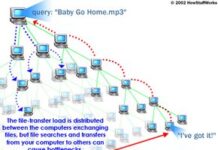
There is a lurking issue that many ignore. Using BitTorrent or similar peer-to-peer programs to download pirated software is a massive risk. It is illegal. But more importantly, it removes your ability to do due diligence. You are downloading files from anonymous users with no trace. You cannot verify authenticity. You cannot check safety ratings. You are flying blind.
How to Verify Authenticity
If you are unsure, check digital signatures or publisher certificates. These verify that the software comes from a trusted developer. It is the closest thing to a guarantee you will get.
What if your antivirus flags the file? Do not panic, but do not ignore it. Research the software further. Check user reviews. Consult comprehensive security websites. Sometimes antivirus software has false positives. Other times, it is right. Proceed with extreme caution.
So, is downloading free software safe? It can be. But blind clicks are a bad habit. A little research and a lot of caution will keep your machine clean.
The internet is full of tools that can help you. It is also full of traps designed to look like help. You have to be the filter.