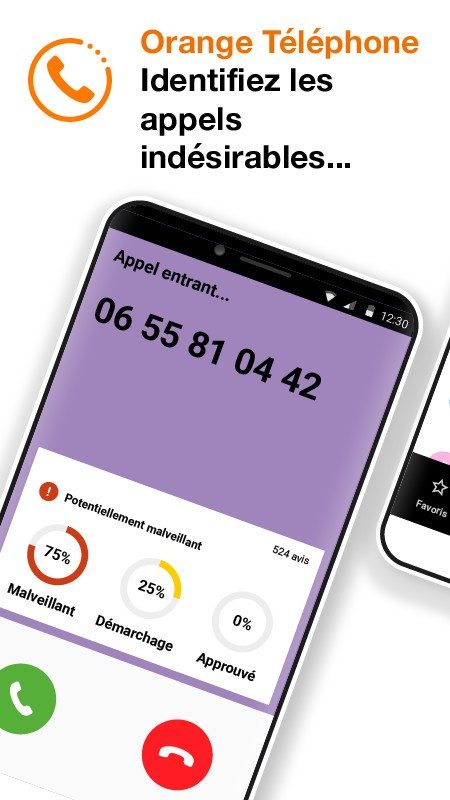
Stop the ringing. That is the first thing Orange Téléphone promises. It is not just for Orange customers. The app works for anyone with a smartphone who wants to block spam calls. It identifies marketing numbers and scams before you even pick up.
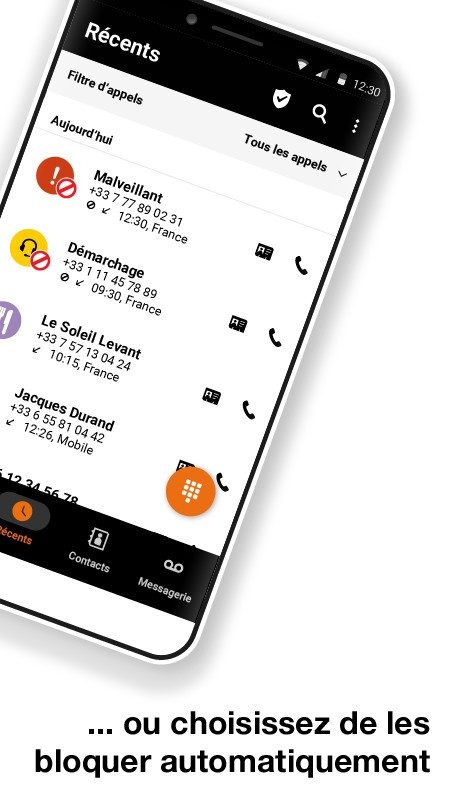
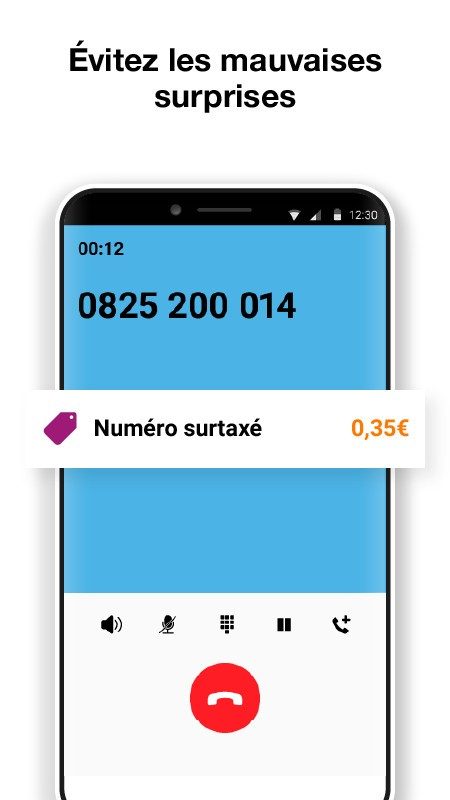
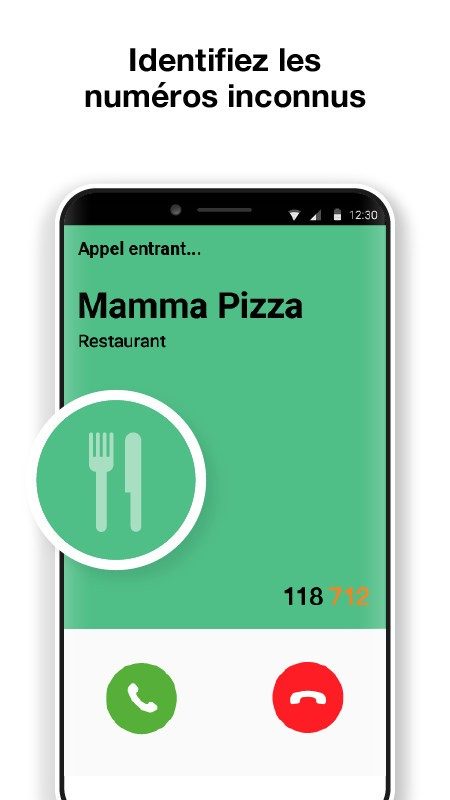
The database behind the app grows every day. Users report bad numbers. The app flags them in real time. You see the company name or location before answering. This stops unsolicited pitches and fraud attempts cold.
“Protect yourself from unwanted solicitations like advertising calls, commercial prospecting, or phone scam attempts.”
Beyond blocking, the app offers serious security tools. You can flag fraudulent numbers. You can block contacts permanently. Filters are customizable. It also cleans up your contact list by showing caller ID clearly for known numbers.
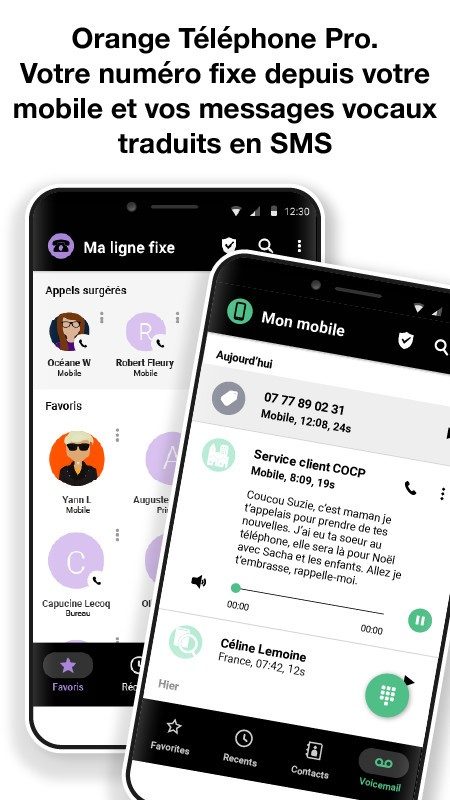
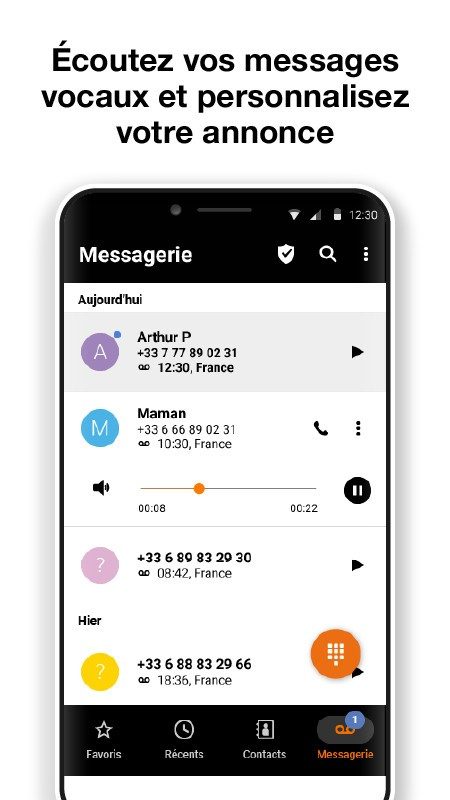
There is a voicemail manager too. It organizes messages and lets you listen easily. You can annotate calls. It is about control.
Who Can Use It
The software runs on almost everything. Android phones get full support. iOS devices like iPhones and iPads are covered too. The interface is simple. The filters are sharp.
Professionals use it to keep work hours clear. Individuals use it to avoid harassment. It adapts to both.
However, desktop users are out of luck. Windows, macOS, and Linux do not have versions. It was built for phones and tablets only.
Download and Install
Getting the app is straightforward. Go to the Google Play Store on Android. Search for “Orange Téléphone.” Tap download. It is free. No registration is needed to start, though some advanced features require linking your mobile line.
iOS users go to the App Store. Look for the same name. It is free there too.
Do not try to sideload APKs from random sites. Old versions can be unstable. They might have security holes. Stick to the official stores.
Keep It Updated
Updates happen automatically usually. Your phone handles the rest. If you want to force one, go to your app store. Find the app page. Click update.
This is important. Updates fix bugs. They improve the interface. Most importantly, they refresh the database of suspicious numbers. An old app means old data. You will miss new scams.
First-Time Setup
Opening the app for the first time requires permissions. You must allow access to your call log. Phone management is needed. Geolocation might be requested for some context-aware features.
Accepting these is key. It ensures the detection works at maximum efficiency. Without them, the app is blind.
Removing it is easy. Use your device’s standard app manager. It leaves no traces. No residual data hangs around.
The battle against spam is ongoing. The app helps you fight back. But the numbers keep changing. New tactics emerge daily. You stay ahead by keeping the tools updated.
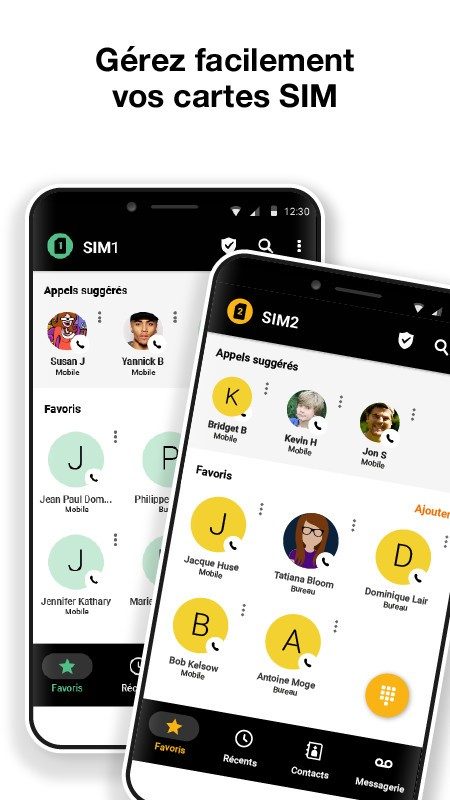

L’application Orange Téléphone se présente comme une solution gratuite pour bloquer les appels indésirables. Il n’y a aucun frais d’installation. Aucun abonnement n’est requis. Cela la rend accessible aux étudiants comme aux professionnels. Beaucoup de concurrents cachent leurs meilleurs filtres derrière un paywall. Ici, la base reste ouverte. Si vous avez une offre Orange, vous pouvez voir des fonctionnalités supplémentaires selon votre forfait. Elles s’intègrent sans friction.
La compatibilité est large mais strictement mobile. L’app fonctionne sur Android 6.0 et supérieur. Elle tourne aussi sur iOS 12 et plus. Pas de version PC. Pas de site web. C’est volontaire. Le service est conçu pour la gestion d’appels sur le pouce. Vous n’avez pas besoin d’être chez Orange pour l’utiliser. Les clients d’autres opérateurs sont les bienvenus. C’est une différence majeure avec SFR Téléphone, qui reste fermée à sa propre clientèle. Certaines apps étrangères ignorent même les bases de données françaises.
Pourquoi choisir Orange Téléphone vs Truecaller ou Hiya ?
La pertinence des alertes distingue cette app. Sa base de numéros est large. Elle profite de la proximité avec les acteurs télécoms français. Comparez-la à Hiya. Cette dernière utilise une méthode communautaire similaire. Elle cible surtout le marché anglo-saxon. La précision sur le sol français en souffre parfois. Truecaller offre des outils comparables. Mais il faut payer pour le premium. L’accès complet aux filtres est bloqué. Orange Téléphone mise sur la simplicité. Zéro inscription nécessaire. La confidentialité est traitée vite. Le respect des lois françaises est garanti.
Sécurité des données et fonctionnement communautaire
Ce n’est pas juste un bouclier anti-démarchage. C’est un outil pédagogique. La communauté participe activement. Les numéros signalés sont identifiés vite. Ils sont partagés avec toute la base. Cette approche collective renforce la détection. Les arnaques bancaires sont ciblées. Le phishing téléphonique est réduit. Ces fléaux augmentent constamment en France.
Vous pouvez consulter l’historique des numéros bloqués depuis l’interface. Les notifications sont consultables. Vous personnalisez le niveau de vigilance. C’est à vous de décider.
La sécurité est rigoureuse. Les données collectées servent uniquement au bon fonctionnement du service. Aucune exploitation commerciale. Aucun profilage. Les conversations ne sont pas stockées. Les identifiants ne sont pas transmis à des tiers. Les contacts restent privés. Chaque mise à jour est accompagnée d’une transparence claire. La gestion des permissions sensibles, comme le microphone, est explicite.
“Les données téléphoniques sont strictement utilisées pour le service, sans jamais être exploitées à des fins commerciales.”
Il n’y a pas de certification professionnelle pour cette app. Son emploi est intuitif. Orange publie régulièrement des guides en ligne. Des FAQs existent. Des vidéos pédagogiques aident à maîtriser les options. Pour ceux qui veulent aller plus loin, l’app s’interface avec d’autres solutions. Antivirus mobiles. Suites de confidentialité. La compatibilité est facile à mettre en place.
Les mises à jour sont fréquentes. La version la plus récente est recommandée. Elle assure la meilleure couverture contre les numéros indésirables. Si vous voulez revenir en arrière, attention. Seules les éditions officielles du Google Play Store ou de l’App Store garantissent l’intégrité. Les sources tierces sont risquées. L’amélioration continue est la règle. Le service s’adapte pour offrir plus de sérénité au quotidien.
Before you hit download, check the specs. It saves time later.
The technical requirements for Orange Téléphone are straightforward. It’s not locked to one carrier. Whether you use Orange, SFR, Bouygues, or free, it works. That’s a key distinction. Many similar apps only work if you are with the primary provider. This one does not have that restriction.
It runs on Android and iOS. Smartphones and tablets are fine too. The app is free. No subscription. No hidden costs. You get it from the Google Play Store or Apple App Store. Only official stores. Sideloading it from random sites breaks the security updates and the number database. Don’t do it.
System requirements and permissions
The app needs a few things to work. You must grant permissions for the phone line, call logs, contacts, and notifications. Location is optional, depending on what features you want to trigger.
Internet connection is mandatory. Why? For real-time identification. It checks numbers against a massive, constantly updating database. You can block some pre-configured spams offline. But for new threats, you need the net.
The interface is in French. Multilingual support exists, but it varies by region. If you’re in France, it’s fully localized.
Privacy matters. The service complies with European regulations. Check the privacy policy for details. The assistant provides guides and FAQs online.
How Orange Téléphone handles spam calls
The app identifies callers proactively. It gives contextual alerts. It fits into your call flow without drama.
On Android, you can make it your default dialer. This centralizes filtering, logs, and messaging. One app does it all.
iOS is different. Apple restricts deep integration. But CallKit allows warning overlays and filtering. It’s within Apple’s defined framework. It works well enough.
The real power comes from community reporting. Users flag marketing numbers, phishing attempts, and scams early. Clear labels tell you whether to pick up or block.
You can block numbers. Manage lists. Add specific numbers manually. The app stays light. It doesn’t drain your battery. It respects privacy standards.
Limitations and false positives
It’s not perfect.
Effectiveness depends on database updates and user participation. Regional variations exist. Some areas have better coverage than others.
False positives happen. Numbers might be mislabeled. Especially during short-lived, mass-campaign spam pushes. Not every unknown number is a scam. Sometimes it’s just a delivery driver.
On iOS, system restrictions limit automation. You might need to tweak settings manually. It’s not plug-and-play like on Android.
Some features tie into Orange offers. But the core service is open to everyone. No registration required.
Why official installation matters
Ditching the official store risks stability. You lose security patches. The number detection quality drops. Protection against unwanted solicitations becomes unreliable.
This is a free tool for individuals tired of telemarketers. It also helps professionals who need to cut interruptions.
For the best experience, stick to the Play Store or App Store. Keep it updated. Allow the necessary permissions. You get stability, accurate detection, and continuous protection.
If you want to take back control of your phone, this is a solid choice. Simple. Effective. Free.
Install it. See how it handles your incoming calls. The results might surprise you. Or they might just silence the noise. Either way, it’s worth a try.
The hidden cost of “free” security
You think you’re protected because you clicked the button. You aren’t.
That’s the reality of modern endpoint security. The assumption that a single click buys you immunity is dangerous. It’s a psychological comfort, not a technical guarantee. The industry pushes “zero trust” as a holy grail, but the average user still lives in a world of “trust but verify,” and verification is often lazy.
Consider how data actually moves. It doesn’t teleport. It travels through pipes. Those pipes are monitored. But who is watching? The security vendor? The network administrator? Or just an algorithm trained on yesterday’s threats?
Why detection isn’t enough
Detection is reactive. It’s the security guard who sees the break-in after the window is smashed. Prevention is locking the door.
Most tools still focus heavily on detection. They scan for signatures. They look for known bad behavior. But what about the unknown? The zero-day? The novel exploit?
This is where the gap widens.
- Signature-based detection fails against new threats.
- Behavioral analysis can flag innocent activity as malicious.
- User Education is the weakest link. Humans are predictable.
“You can patch code. You can’t patch human nature.”
The solution isn’t just better software. It’s better architecture. Moving from perimeter defense to identity-centric security. If your identity is compromised, the perimeter doesn’t matter.
Where the leaks happen
It’s rarely the firewall. It’s the credentials.
Phishing remains king. Not because it’s sophisticated. Because it’s simple. It preys on urgency. “Your account will be locked.” “Verify now.”
But there are subtler leaks.
- Shadow IT. Employees using unapproved apps.
- Misconfigurations. Cloud buckets left open.
- Third-party access. Vendors with too much power.
Which is harder to fix? The misconfiguration. It’s technical. The shadow IT? Cultural.
How to actually stay safe
Stop thinking about “security” as a product. It’s a process.
- MFA everywhere. Not just email. Everything.
- Least privilege. Give users only what they need. Nothing more.
- Regular audits. Assume you are already breached. Act like it.
It’s not sexy. It’s not a headline. But it works.
The future is boring
The best security is invisible.
You won’t notice it when it’s working. You’ll only notice it when it fails. And when it fails, it will be catastrophic.
So keep clicking. Keep verifying. But never assume you’re safe.
Just assume you’re being watched.