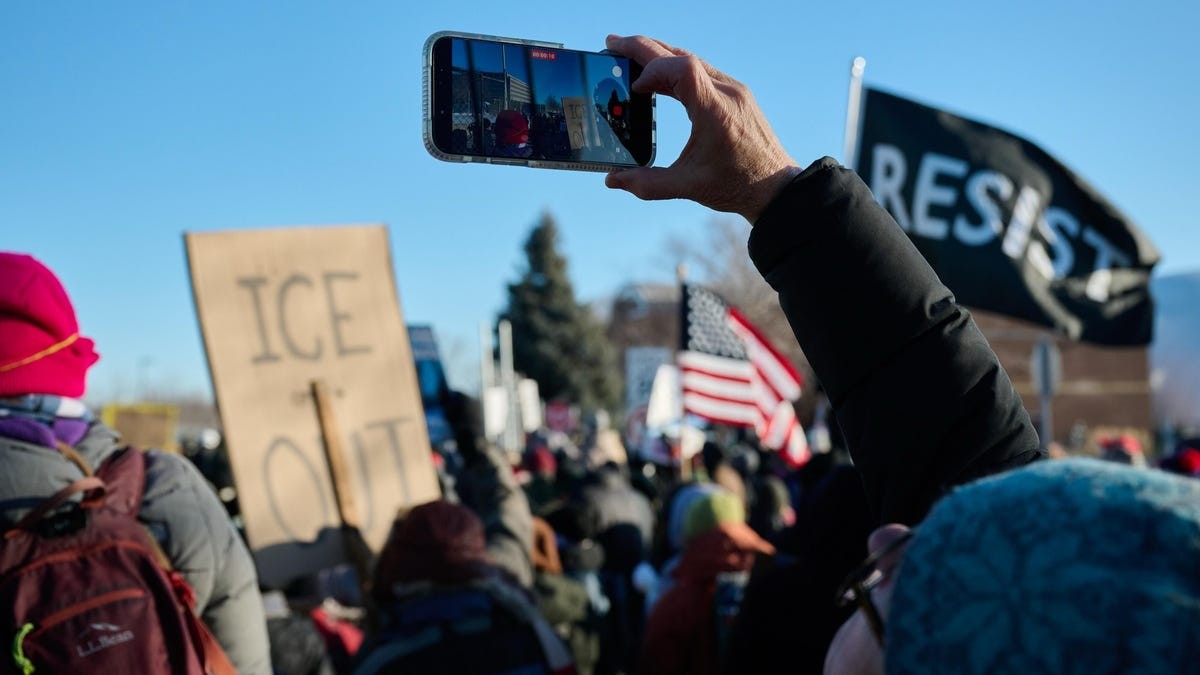
Mass demonstrations are becoming increasingly common, with activists and citizens alike using their mobile phones to document events, coordinate actions, and share information. However, this convenience comes with risks: law enforcement and government agencies are actively targeting phone data to monitor protesters and suppress dissent. This guide outlines practical steps to minimize your digital footprint while exercising your right to assemble.
The Growing Threat to Protestor Data
Recent incidents, including the controversial shootings of Renee Good and Alex Pretti in Minneapolis, have highlighted the role of mobile technology in protests. At the same time, authorities are expanding surveillance tactics. The FBI has even threatened investigations into encrypted messaging apps like Signal, demonstrating the broad scope of data collection efforts. Leaving your phone at home remains the safest option, but is often impractical. If you choose to bring your device, take these precautions.
Essential Security Measures
Protecting your phone’s data requires a multi-layered approach. First, ensure your device is securely encrypted. Most modern smartphones do this automatically when a passcode is set. Use a strong, random passcode (8-12 characters) to prevent easy access if the device is lost or seized.
- iOS: Settings > Face ID (or Touch ID) & Passcode > Turn Passcode On. Verify encryption under “Data protection is enabled.”
- Android: Settings > Security & Privacy > Device Unlock > Screen lock. Check for “Encryption & Credentials” to confirm data encryption.
Next, disable location services to prevent tracking via GPS. This includes preventing location metadata from being saved in your photos.
- iOS: Settings > Privacy & Security > Location Services > Camera.
- Android: Camera app settings – look for “Save Location” or similar and turn it off.
Bypassing Biometric Scans
Biometric authentication (fingerprints, facial recognition) can be compelled in court. Using a memorized passcode provides stronger legal grounds to resist forced device unlocking. Disable biometric unlock features:
- iOS: Settings > Face ID (or Touch ID) & Passcode > Turn off iPhone Unlock.
- Android: Settings > Security & Privacy > Lock Screen.
If confronted unexpectedly, quickly disable biometrics temporarily.
- Android: Use Lockdown mode (if enabled in settings).
- iPhone: Hold Sleep/Wake and Volume Up until the power options appear, then tap Cancel. This forces passcode entry on the next unlock.
Reducing Digital Footprint
Beyond basic security, minimize data transmission. Turn off Bluetooth to avoid tracking via nearby devices (including AirTags). Disable cellular data and Wi-Fi when not actively using them, as even idle connections reveal your approximate location.
Consider leaving your phone at home entirely or using a prepaid “burner” phone for protests, disposing of it afterward to avoid tracing. Also, be mindful of smartwatches and other trackers that store location data.
Capturing Evidence Securely
When recording events, use the camera without unlocking your phone. This prevents unauthorized access to your data if the device is seized. Modern smartphones allow quick camera access from the lock screen:
- iOS: Swipe from the right edge of the screen or press and hold the Camera icon.
- Android: Look for a Camera icon on the lock screen or double-press the power button.
Finally, be cautious about sharing photos online, as facial recognition technology is used to identify protesters.
Conclusion: Protecting your digital privacy at protests requires vigilance and proactive measures. By encrypting your device, disabling unnecessary tracking features, and minimizing data transmission, you can significantly reduce your vulnerability to surveillance while exercising your constitutional rights.