Most festivals ruin photos.
Then the lights go out. Then the crowd moves. Suddenly your phone is a blurry, dark rectangle of failure. You spend the best set fighting the shutter speed, missing three hits by the time you get one decent frame. It sucks.
The Samsung Galaxy S26 Ultra doesn’t ask you to fight back.
It just works.
Built with a 200-megapixel main sensor and a wide F1.4 aperture, it grabs light when everything else fails. Pair that with Galaxy AI tools that handle the tedious editing, and you get to stay present. No fumbling. Just vibes.
1. Stop the shake
Ever tried filming in the pit?
It’s chaos. People are jumping, elbows are flying, your hands are shaking. Usually, you get garbage.
Super Steady on the S26 Ultra fixes this. It uses the gyroscope to counter movement instantly.
Add Horizontal Lock, and even if your arm tilts dodging a stranger, the horizon stays level.
How do you turn it on? Open the camera app, switch to Video. Tap the icon that looks like a body in motion. Or slide it to the right for the lock. Done.
2. When the sun dies, the fun starts
Most phones fail after dusk.
They can’t see. The night gets muddy and grainy.
Nightography uses AI to balance exposure and crush the noise. On the Ultra, that pairs with the F1.4 aperture which sucks in more light than most flagships. Fireworks? Pyrotechnics? You get the color. You get the detail.
Tap the moon icon in Photo mode. Adjust exposure if you want. Or let it auto. In video? It just happens automatically when it gets dark.
3. The barrier is optional (but expensive)
If you aren’t by the stage barrier, you’re usually too far back to capture faces.
Not anymore.
The 50-megapixel telephoto lens offers 5x optical zoom and 10x “optical-quality” zoom. Even up to 100x for stills.
You can stand near the sound desk, zoom in, and still see the singer’s teeth during the chorus.
It stays sharp.
4. Crop later, cry less
You shoot wide. You always shoot wide.
Because with 200 megapixels, you can afford it.
Take the group shot. Take the crowd panorama. Once you’re back at your tent, zoom in. The F1.4 aperture ensures those background details hold up. Crop that blurry blob of a person into a tight, sharp portrait of the friend who looked their best.
The camera lets you be reckless.
That’s the point.
5. Edit the crowd away
Photos rarely look as good in the app as they did in real life.
Maybe a tall guy is blocking the view. Maybe a random stranger’s flash ruined the lighting mood.
Photo Assist cleans this up.
It’s an AI tool inside the Gallery app. You want to remove an object? Circle it. Scribble over it. Tap it.
The phone finds the edges. It deletes the person. It fills in the background where they used to be.
You can even change the time of day with text commands.
“Make it dusk.”
It does it in seconds. The original photo stays untouched. You keep both versions.
6. Stickers, invites, chaos
Got a good shot?
Use Creative Studio.
Access it via the Edge panel. Tell it what you want—a sticker pack, an invitation. It generates the graphics from your photos.
Send those stickers to the group chat. Send an invite to that mandatory brunch where everyone discusses what went wrong on Saturday.
Keep the energy going without leaving your couch.
7. Digital everything
Paper gets wet. Paper gets lost.
The person in charge of the printed maps? They already drank their drink and forgot where the tents are.
Document Scan lives in your Camera app. Frame up the schedule. The map. Your ticket.
It captures and digitizes them automatically.
No more wandering around asking directions. Add the scanned map to your story if you have to. It saves the scramble.
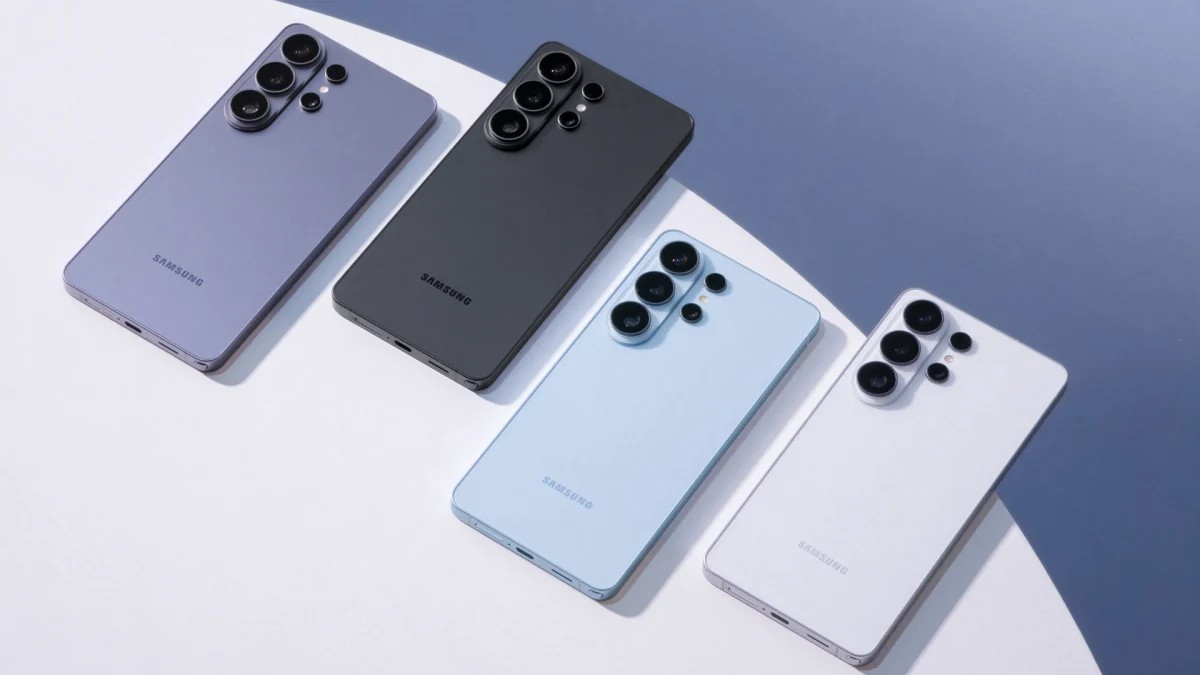
The S26 Ultra isn’t the only phone in the line-up. There’s a regular S26, too.
But when the lights drop? When the bass shakes the ground? When you need to focus faster than you can blink?
This one takes the headline slot.
Your camera roll won’t be full of blurry messes this time.
Ready to stop carrying a physical wallet anyway?
Check out the line-up.