The appeal of film photography is surging, and not just among purists. Whether it’s a reaction to hyper-realistic AI-generated images or simply a trend toward warmer, more organic aesthetics, the “film look” dominates social media. While some photographers embrace analog cameras, you can replicate those dreamy vibes directly on your phone – and you don’t need the latest flagship model to do it.
The goal isn’t clinical accuracy; it’s a retro, old-school feel. Forget chasing megapixels; the key is understanding how to counteract the over-processing that plagues most phone cameras. Here’s how to transform your photos with minimal effort.
Capturing the Film Aesthetic
Modern phone cameras excel at vibrant, well-exposed images, but often rely on aggressive software processing. This results in images that look artificial, with unnatural highlights, shadows, and overly sharpened details. The trick is to dial back this digital manipulation, aiming for a look closer to real film.
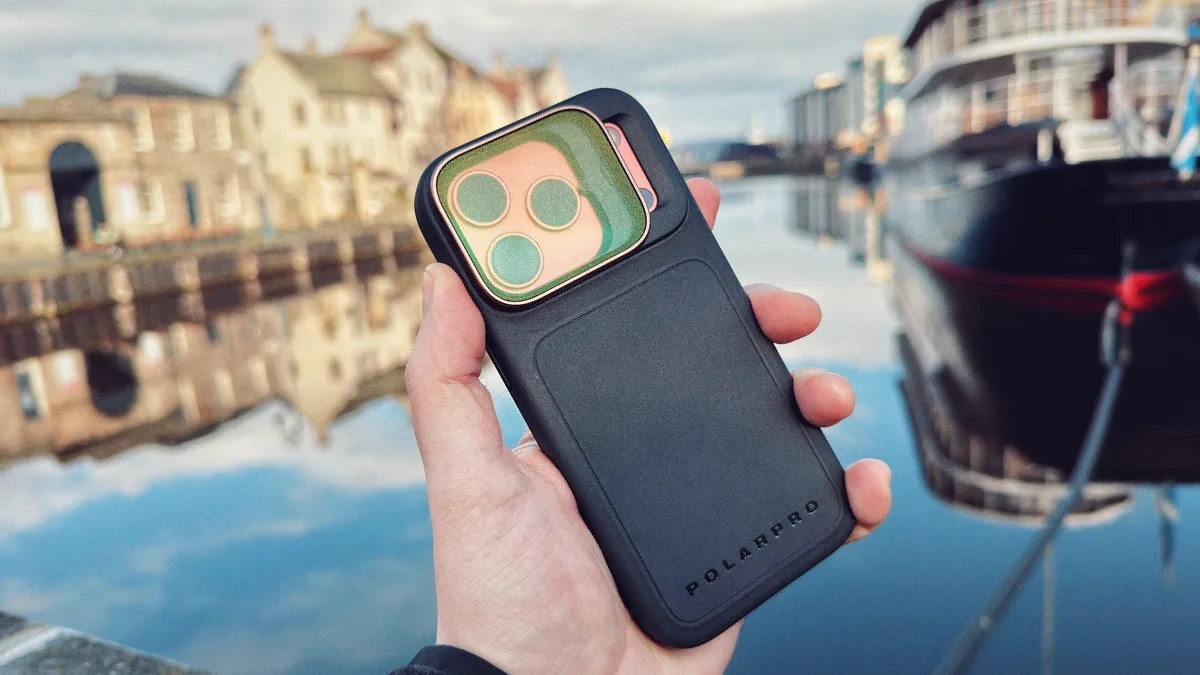
One simple method is using a physical filter. Mist filters soften harsh details and create a natural “bloom” around highlights – an effect common in film photography. Brands like PolarPro offer options (CineGold for warmth, CineBlack for deeper shadows), compatible with phones using adapters such as Moment’s QuickLock mount. While dedicated iPhone filters exist, investing in standard threaded filters provides versatility across devices.
Moment also manufactures clip-on lenses that introduce subtle optical imperfections, further reducing the artificial sharpness of digital images. Shooting in RAW format (ProRaw on iPhone, DNG on Android) gives you maximum editing flexibility, bypassing much of the automatic sharpening applied by default.
Slightly overexposing your shots can also help. Many classic film stocks – Kodak Gold and Portra 400 included – thrive in bright conditions. Shooting RAW ensures enough dynamic range to avoid blowing out highlights. Ultimately, focus on capturing compelling images in the moment rather than relying solely on editing to salvage mediocre shots.
Leveraging Phone Presets
Many phones offer built-in presets to alter image appearance. Apple’s Photographic Styles allow color and saturation adjustments, but none convincingly mimic analog film. Samsung’s My Filter tool lets you sample color tones from other images, though results can be inconsistent. Experiment with these options, but don’t expect miracles.
Editing for the Film Look
The most effective method is editing. Forget exact film stock replication; aim for an authentically vintage aesthetic. Numerous apps provide film simulations, but quality varies.
- VSCO: A long-standing industry standard, VSCO offers paid presets based on real film stocks. It’s a quick way to apply a film look, but requires a subscription.
- Adobe Lightroom: A powerful tool with infinite editing possibilities, Lightroom also supports a vast library of presets for instant film styles. Moment and VSCO both sell preset packs designed for Lightroom.
- Snapseed (Free): Google’s Snapseed provides a surprisingly robust suite of editing tools, including film looks. It’s free on both Android and iOS, making it an accessible option.
When editing, prioritize adding grain to reduce digital sharpness. Lower structure and disable sharpening entirely. Experiment with Dehaze to soften details, reduce Ambience, and apply subtle blur. Snapseed allows layering effects for unique color styles.
Ultimately, the “right vibes” matter more than perfect color matching. Play around with different tools until you achieve a look you like.
Final Thoughts: The film look isn’t about technical perfection; it’s about capturing a feeling. By understanding how to counteract digital over-processing and embracing subtle imperfections, you can transform your phone photos into something that feels authentically vintage.