Learn About AI is Google’s latest bet on conversational learning.
It’s not NotebookLM. It doesn’t have the flash, the podcast generators, or the mind-map theater. If you’ve tried to force a complex textbook through NotebookLM and gotten bored, you know the vibe. Powerful, yes. But heavy. What if you don’t have sources? What if you just want to know stuff right now?
That’s where Learn About steps in.
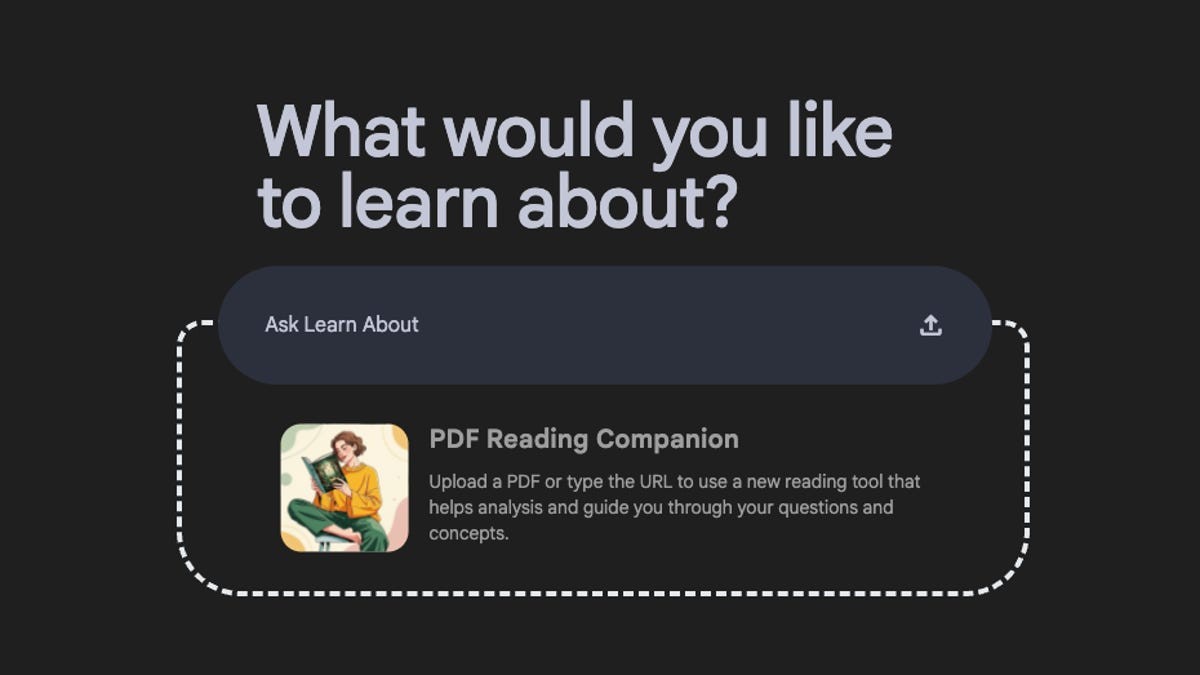
Think of it as a slimmer, faster cousin. Less creation, more consumption. You don’t need to upload a PDF to start. You don’t even need to have one. Just type what you’re curious about—say, the Great Sphinx —and watch it work.
Why Learn About Works Better Than NotebookLM for Quick Learning
NotebookLM is grounded truth. It only eats what you feed it. That’s a feature, not a bug. But it’s also a constraint. You have to find the documents. You have to structure the prompt.
Learn About breaks that rule.
Type a topic. Get a breakdown. No uploads required. The interface feels familiar, almost Wikipedia-adjacent, but sharper. It spits out text blocks, relevant images, and interactive lists you can click through. If it finds a useful YouTube video, it drops that in too.
The output isn’t just a wall of text. It’s structured.
You get sections on building your vocabulary. Specific terms. Contextual definitions. It anticipates that you might be lost, so it hands you a dictionary on a silver platter.
And then comes the smart part.
How the Tool Handles Common Misconceptions and Hidden Questions
When you’re new to a topic, you don’t know what you don’t know.
Learn About guesses. It surfaces questions you should ask but didn’t. Deeper learning starts there. It also hunts for common misconceptions.
I tested it with the Sphinx. Did Napoleon’s soldiers shoot its nose off? Classic trivia. Classic wrong answer. Learn About flagged the myth. Then it corrected it. The nose was likely gone centuries before Napoleon arrived.
It even cites sources for that correction.
At the bottom of every section, you have three choices:
- Simplify : Strip it down for speed.
- Go Deeper : Dive into the weeds.
- Show Images : Visual context, please.
It’s responsive. It’s direct. It doesn’t make you guess what you need next.
“If you’re just starting out… Learn About recognizes this.”
It’s that simple. You get a big picture summary on the left sidebar, plus a history of everything you’ve clicked. A visual breadcrumb trail. It helps you backtrack without losing your place.
Which Devices Can You Actually Use Learn On?
Here’s where the experiment status shows.
No dedicated app. Don’t expect one soon. Unlike NotebookLM, this isn’t for creating. It’s for absorbing.
Mobile works fine. Chrome scales down to your phone screen. The layout adapts. You can read, click, learn. But the sync? Tricky.
I lost my conversation history on my phone. Refreshed my desktop? Gone. The history vanished. That’s annoying. For an experiment, sure, you expect glitches. But for a tool you want to use for studying? Frustrating.
Then there’s the iPad.
On Chrome and Brave, you hit a wall. A popup says tablets aren’t supported. Fair enough, maybe. But I opened Safari on that same iPad. Worked perfectly. The browser matters. The platform shouldn’t dictate access, but right now, it does.
Should You Switch from NotebookLM to Learn About?
Probably not switch. Complement.
NotebookLM is for when you have the material and need to digest, transform, or generate. Learn About AI is for when you start from zero.
It’s streamlined. It doesn’t pretend to be an all-in-one suite. It gives you text, images, corrections, and context. No fluff.
For students, maybe it’s the go-to. For the rest of us? It’s a nice break from the complexity.
It’s imperfect. The history bugs, the browser inconsistencies. But the core idea—learning without prep—is solid.
Will you remember what you read tomorrow? Probably. Unless you refresh the page.
Then it’s gone.
How will you handle that loss? Probably by learning faster next time.